
Indexing
Indexing: 9 Proven Ways to Fix Website Not Indexing Problems Fast
1. Introduction: Why Indexing Matters for Your Website
In today’s digital world, indexing plays a crucial role in determining whether your website appears on search engines like Google or not. If your website is not indexing, it simply means your pages are invisible to users searching online. No matter how good your content is, without proper indexing, your website cannot generate traffic, leads, or revenue.
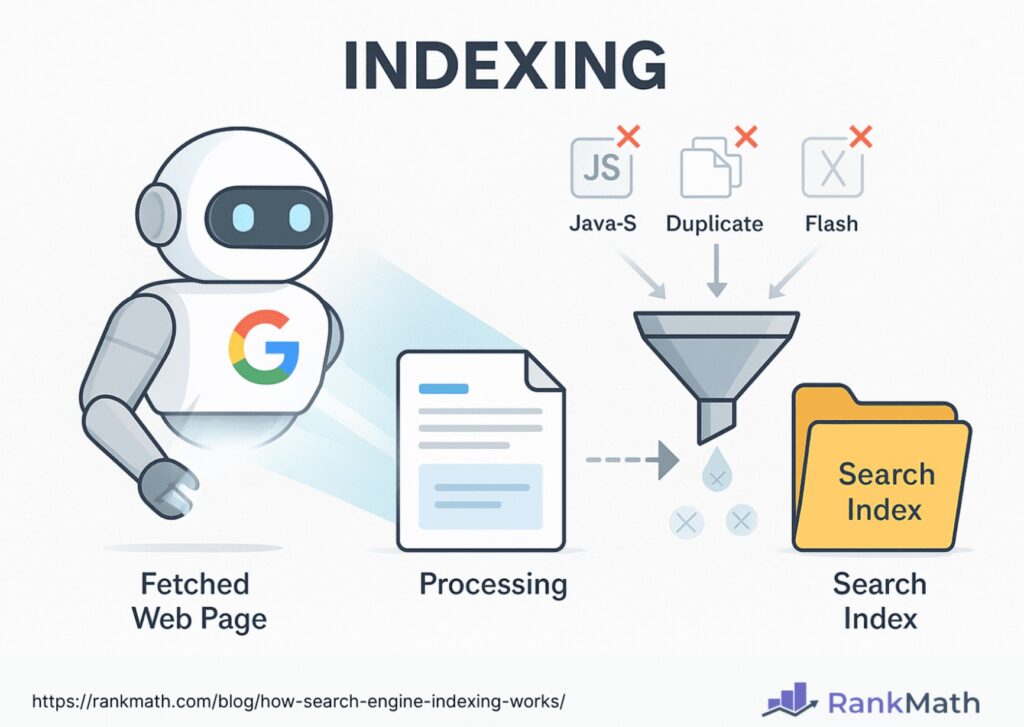
Indexing is the process by which search engines discover, crawl, and store your web pages in their database. Once your pages are successfully indexing, they become eligible to appear in search results. However, many website owners face common problems where their site is not indexing, which leads to low visibility and zero organic traffic.
There are many reasons why indexing issues occur. It could be due to technical errors, poor website structure, low-quality content, or incorrect settings like noindex tags and robots.txt restrictions. Understanding how indexing works is the first step to fixing these problems quickly. When your website has proper indexing, it increases your chances of ranking higher on search engines and reaching your target audience effectively.
Another important factor is that indexing is not a one-time process. Search engines continuously update their database, so maintaining proper indexing is essential for long-term success. If your pages are not indexing regularly, your website may lose rankings over time. That’s why it’s important to monitor your indexing status and fix any issues as soon as possible.
2. Check If Your Website Is Indexing Properly
Before fixing any problem, it is very important to first check whether your website is actually indexing or not. Many website owners assume their site is not indexing, but in reality, only a few pages may be missing from Google’s index. That’s why verifying your indexing status is the first and most important step.
The easiest way to check indexing is by using a simple Google search operator. Just go to Google and type:
site:yourdomain.com
If your website pages appear in the search results, it means your site is indexing properly. However, if no results are shown, then your website is not indexing, and you need to take action immediately.
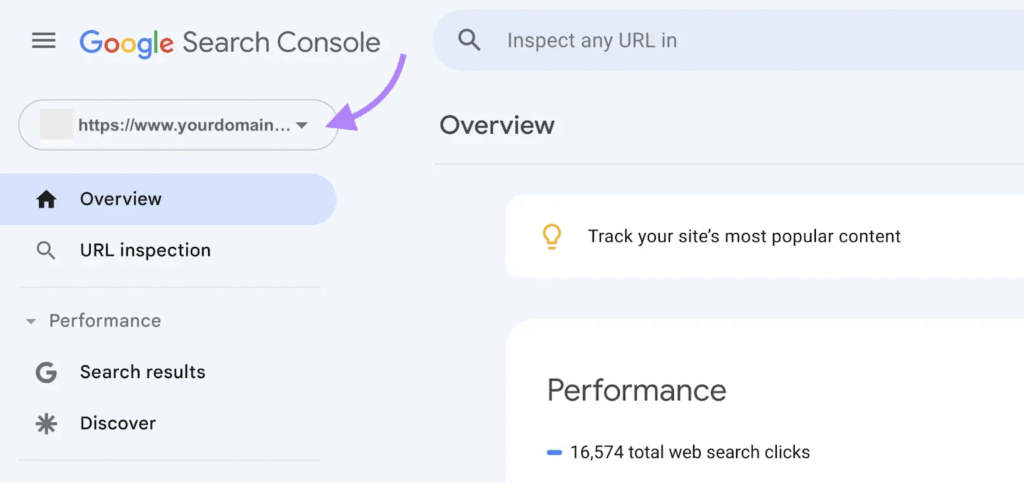
Another powerful method to check indexing is by using Google Search Console. This tool gives you detailed insights into your website’s indexing status. You can use the “URL Inspection” feature to see whether a specific page is indexing or not. It also shows errors that may be blocking proper indexing.
Sometimes, only certain pages are not indexing due to issues like poor content, technical errors, or lack of internal linking. In such cases, you should identify which pages are not indexing and fix them individually. Regularly checking your indexing status helps you stay updated and avoid long-term visibility problems.
By monitoring your website’s indexing performance, you can quickly detect issues and take the right steps to improve your presence on search engines. Proper tracking ensures that your content gets indexed faster and reaches the right audience.
3. Submit Sitemap to Improve Indexing Speed
One of the most effective ways to fix indexing issues is by submitting a sitemap to search engines. A sitemap acts like a roadmap of your website that helps Google understand your site structure and improves overall indexing. Without a sitemap, search engines may miss important pages, which can slow down your indexing process.
A sitemap contains a list of all your important URLs, making it easier for search engine bots to crawl and start indexing your content quickly. When you submit a sitemap, you are directly telling Google which pages should be considered for indexing, which increases your chances of faster visibility in search results.
To improve indexing, you should first create a sitemap using tools like SEO plugins (for example, Yoast SEO or Rank Math). Once your sitemap is ready, upload it to your website and submit it through Google Search Console. After submission, Google will start crawling your pages and begin the indexing process more efficiently.
It’s also important to keep your sitemap updated. Whenever you add new content, update your sitemap so that search engines can quickly discover and start indexing those new pages. An outdated sitemap can slow down your indexing and reduce your chances of ranking higher.
In addition, you can use the “URL Inspection” tool in Google Search Console to manually request indexing for important pages. This is especially useful for new blog posts or recently updated content that you want to get indexed quickly.
4. Fix Robots.txt Issues to Avoid Indexing Problems
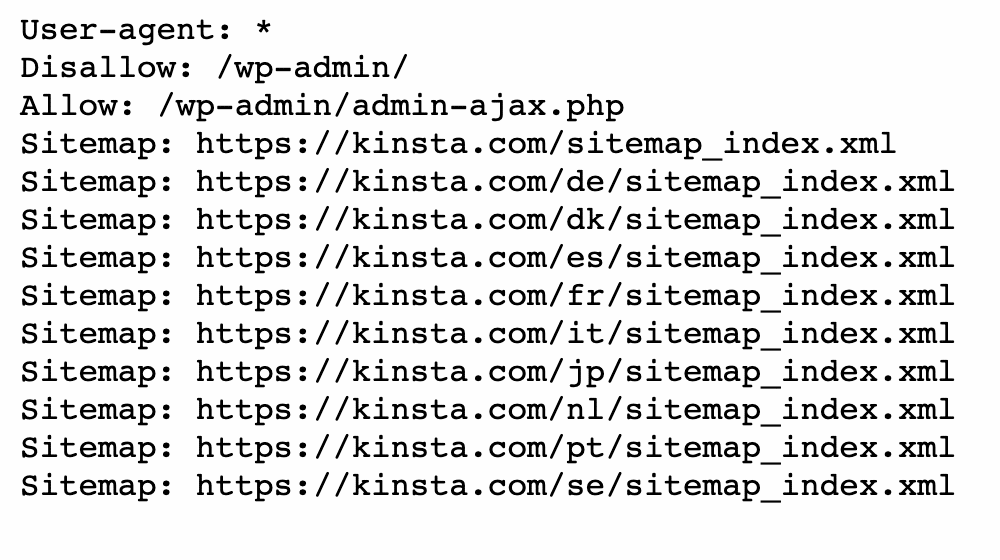
One of the most common reasons for poor indexing is an incorrect robots.txt file. This file controls how search engine bots crawl your website, and even a small mistake can block proper indexing of your pages. If your robots.txt settings are wrong, search engines may not crawl your site at all, which completely stops indexing.
The robots.txt file is usually located at: yourdomain.com/robots.txt
To ensure proper indexing, you need to check that your robots.txt file is not blocking important pages. A common mistake is adding the following line:
Disallow: /
This line tells search engines not to crawl your entire website, which prevents any indexing from happening. If you find this in your file, you should remove or correct it immediately.
For better indexing, make sure your robots.txt file allows search engine bots to access key sections of your website. You can also include your sitemap link in the robots.txt file, which further helps improve indexing and crawling efficiency.
Another important step is testing your robots.txt file using Google Search Console. This tool helps you identify errors that may be affecting your indexing. Fixing these issues ensures that search engines can properly crawl and start indexing your pages without restrictions.
Always remember that robots.txt is a powerful file. Even a small misconfiguration can lead to major indexing problems. Regularly reviewing and optimizing your robots.txt file will help maintain smooth indexing and improve your website’s visibility in search results.
5. Remove Noindex Tags to Fix Indexing Issues
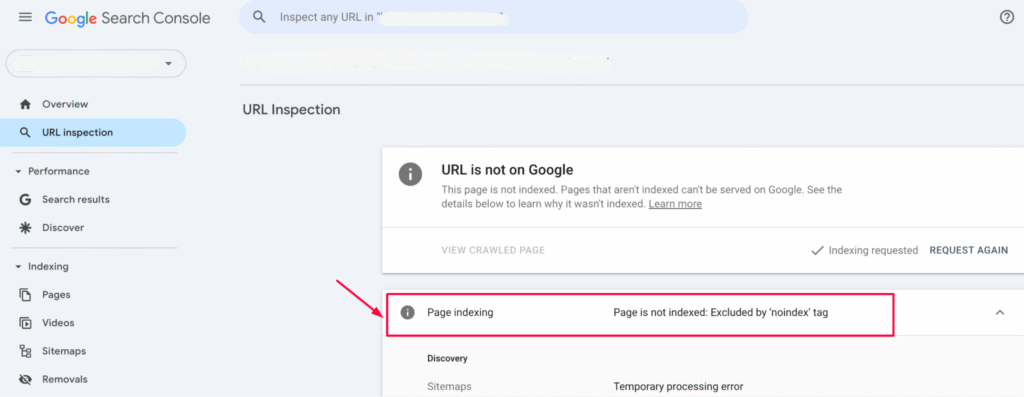
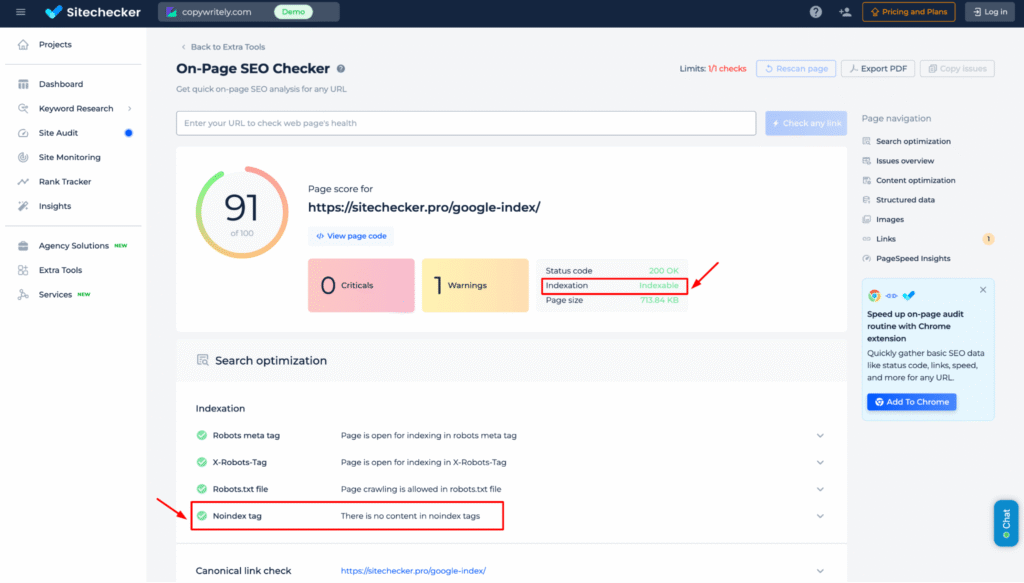
Another major reason why your website is not indexing properly is the presence of “noindex” tags. These tags tell search engines not to include specific pages in their database, which directly stops indexing. Even if your content is high quality, a noindex tag will prevent it from appearing in search results.
The noindex tag is usually added in the HTML code of a page or through SEO plugins. When this tag is active, search engines will crawl the page but will not allow indexing. This is useful for pages like thank-you pages or admin sections, but it can cause serious indexing problems if applied to important pages by mistake.
To improve indexing, you should first check whether your pages have a noindex tag. You can do this by viewing the page source or using tools like Google Search Console. The “URL Inspection” tool clearly shows if a page is blocked from indexing due to noindex directives.
If you find important pages with a noindex tag, remove it immediately to allow proper indexing. In WordPress, you can easily fix this through SEO plugins like Yoast SEO or Rank Math by setting the page to “Index.” Once removed, you can request indexing manually in Google Search Console to speed up the process.
It’s also important to regularly audit your website to ensure no important pages are accidentally blocked from indexing. Even one wrong setting can impact your overall visibility and rankings.
By removing unnecessary noindex tags, you can restore proper indexing, improve your website’s presence on search engines, and ensure your content reaches the right audience.
6. Improve Content Quality for Better Indexing
Content quality plays a major role in indexing. Even if your website is technically perfect, poor or low-quality content can prevent proper indexing. Search engines like Google prefer valuable, unique, and helpful content when deciding which pages deserve indexing.
If your content is thin, duplicate, or not useful, search engines may ignore it and delay indexing. That’s why improving content quality is essential for faster and more effective indexing. High-quality content signals to search engines that your website is worth crawling and indexing regularly.
To boost indexing, focus on creating original and informative content that solves user problems. Use relevant keywords naturally, especially the keyword indexing, but avoid keyword stuffing. Proper keyword placement helps search engines understand your content and improves your chances of indexing.
Another important factor for indexing is content structure. Use headings (H1, H2, H3), short paragraphs, and bullet points to make your content easy to read. Well-structured content improves user experience and supports better indexing by search engine bots.
Updating old content is also a powerful way to improve indexing. When you refresh your content with new information, search engines revisit your pages and improve indexing frequency. Regular updates show that your website is active and relevant.
In addition, adding internal links between your pages helps search engines discover more content, which improves overall indexing. The easier it is for bots to navigate your site, the better your indexing performance will be.
In addition, adding internal links between your pages helps search engines discover more content, which improves overall indexing. The easier it is for bots to navigate your site, the better your indexing performance will be.
7. Build Backlinks to Boost Indexing Speed
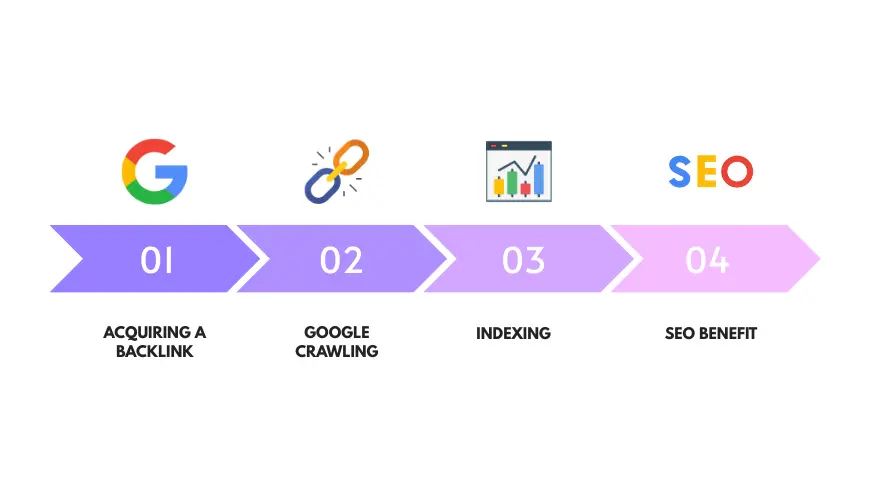
Backlinks are one of the most powerful factors for improving indexing. When other websites link to your site, search engines discover your pages faster, which helps speed up the indexing process. Without backlinks, your website may take longer to get noticed, especially if it is new.
Backlinks act like signals for search engines. They tell Google that your content is valuable and worth indexing. The more quality backlinks you have, the higher your chances of faster and more consistent indexing.
To improve indexing, you should focus on building high-quality backlinks rather than just increasing quantity. Links from trusted and relevant websites help search engines crawl your pages more frequently and improve overall indexing performance.
Some effective ways to build backlinks for better indexing include:
Guest posting on blogs Sharing content on social media Submitting your site to directories Collaborating with other websites These methods not only improve indexing but also drive traffic to your website. Another important point is consistency. Regular backlink building helps maintain steady indexing and ensures that your new content gets indexed quickly. If you stop building links, your indexing speed may slow down over time. You should also avoid spammy or low-quality backlinks, as they can negatively impact your indexing and overall SEO performance. Always focus on natural and relevant link-building strategies.
8. Use Google Search Console for Faster Indexing
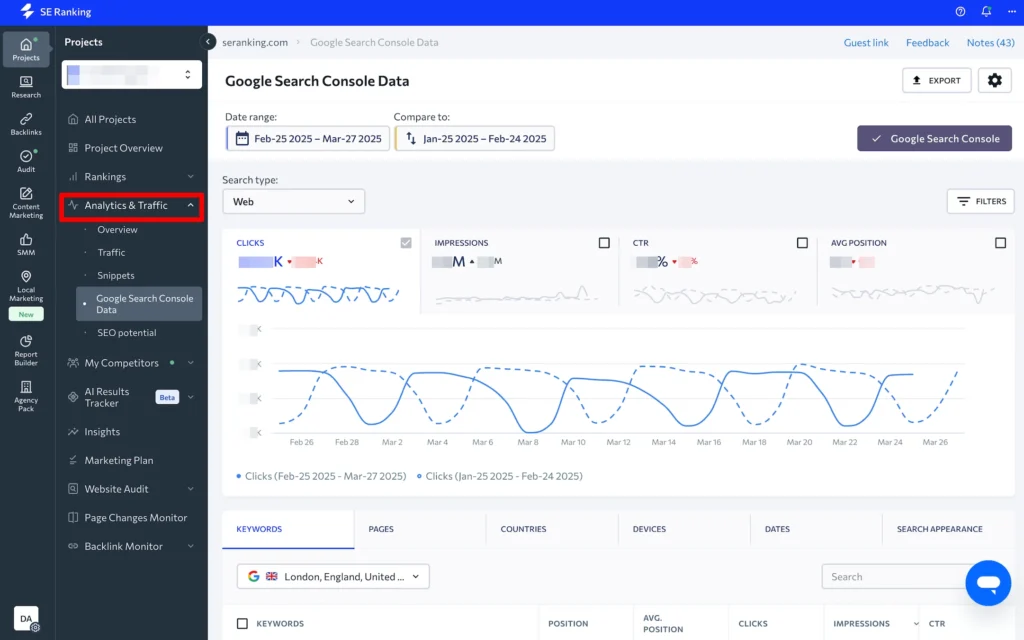
Using Google Search Console is one of the best ways to improve and monitor your website’s indexing. It is a free tool provided by Google that helps you understand how your site is performing in search results and whether your pages are properly indexing or not.
If your website is facing indexing issues, Google Search Console should be your first tool to check. It provides detailed reports about which pages are indexing, which are not, and what errors are affecting your indexing performance. This helps you quickly identify and fix problems.
One of the most powerful features for indexing is the URL Inspection Tool. With this tool, you can check if a specific page is indexing or not. If it is not indexed, you can request indexing manually. This speeds up the process and helps new or updated pages appear in search results faster.
Another important feature is the Coverage Report, which shows errors that may block indexing, such as crawl issues, server errors, or excluded pages. Fixing these errors ensures smooth and consistent indexing of your website.
To improve indexing, you should also submit your sitemap through Google Search Console. This allows search engines to crawl your website more efficiently and improves overall indexing speed.
Regularly monitoring your website through Google Search Console ensures that your indexing stays healthy. It also helps you track improvements and maintain long-term visibility in search results.
9. Conclusion
Website indexing is one of the most important factors for online success. If your website is not indexing, it will not appear in search results, which means no traffic, no visibility, and no growth.
That’s why understanding and fixing indexing issues should be your top priority. In this guide, we covered the most effective ways to improve indexing, from checking your indexing status to fixing technical errors like robots.txt and noindex tags.
We also discussed how content quality, backlinks, and tools like Google Search Console play a major role in faster indexing. The key to successful indexing is consistency. You need to regularly monitor your website, update content, and fix any issues that may affect indexing. Search engines are always evolving, so maintaining proper indexing ensures that your website stays visible and competitive.
Remember, better indexing leads to better rankings, more traffic, and higher chances of success online. By applying these strategies, you can speed up your website’s indexing, improve search engine performance, and reach your target audience more effectively. kbdigitalfly.com
10. FAQs
Q1. What is indexing in SEO?
Indexing is the process where search engines store and organize your website pages so they can appear in search results. Without proper indexing, your site will not be visible online.
Q2. Why is my website not indexing?
Your website may not be indexing due to issues like noindex tags, blocked robots.txt, low-quality content, or lack of backlinks affecting indexing.
Q3. How long does indexing take?
Indexing can take a few hours to several weeks depending on your website quality, backlinks, and crawl frequency.
Q4. How can I speed up indexing?
You can improve indexing by submitting a sitemap, using Google Search Console, creating quality content, and building backlinks.
Q5. Does Google automatically index websites?
Yes, Google can automatically discover and start indexing, but sometimes manual steps are needed to improve indexing speed.
Q6. What is a sitemap and how does it help indexing?
A sitemap is a file that lists your website pages and helps search engines crawl and improve indexing efficiently.
Q7. Can noindex tags stop indexing?
Yes, a noindex tag directly blocks indexing, preventing your pages from appearing in search results.
Q8. Does content quality affect indexing?
Yes, high-quality and unique content increases your chances of faster and better indexing.
Q9. How do backlinks help indexing?
Backlinks help search engines discover your pages faster, which improves indexing speed and performance.
Q10. Which tool is best for checking indexing?
Google Search Console is the best tool for monitoring and improving your website’s indexing status.




Leave a comment