
Video Editing
Master Video Editing: Ultimate Tips, Tools & Techniques for 2025
1. Introduction
Video Editing has become one of the most essential and fastest-growing digital skills in 2025. In today’s content-driven world, video editing is the backbone of every platform—whether it’s YouTube vlogs, Instagram Reels, Facebook Ads, business promo videos, educational content, or personal branding clips. The quality of your video editing directly affects how powerful, engaging, and professional your final content looks.
Creators, influencers, brands, and even small businesses now depend heavily on video editing to grab attention, tell stories, and stand out from the crowded digital space. Good video editing helps turn raw, unpolished footage into a polished visual experience that keeps viewers watching longer. It enhances storytelling, improves clarity, adds emotion, and brings your creative vision to life.
Whether you’re a beginner learning the basics or a growing creator exploring advanced techniques, mastering video editing can completely transform the way your content performs online. With strong video editing, you boost visibility, increase viewer engagement, improve audience trust, and build a professional digital presence that grows your brand in 2025.
In short, video editing is not just a technical skill—it is a powerful creative tool that helps you communicate ideas, connect with your audience, and elevate your digital identity.
2. What Is Video Editing?
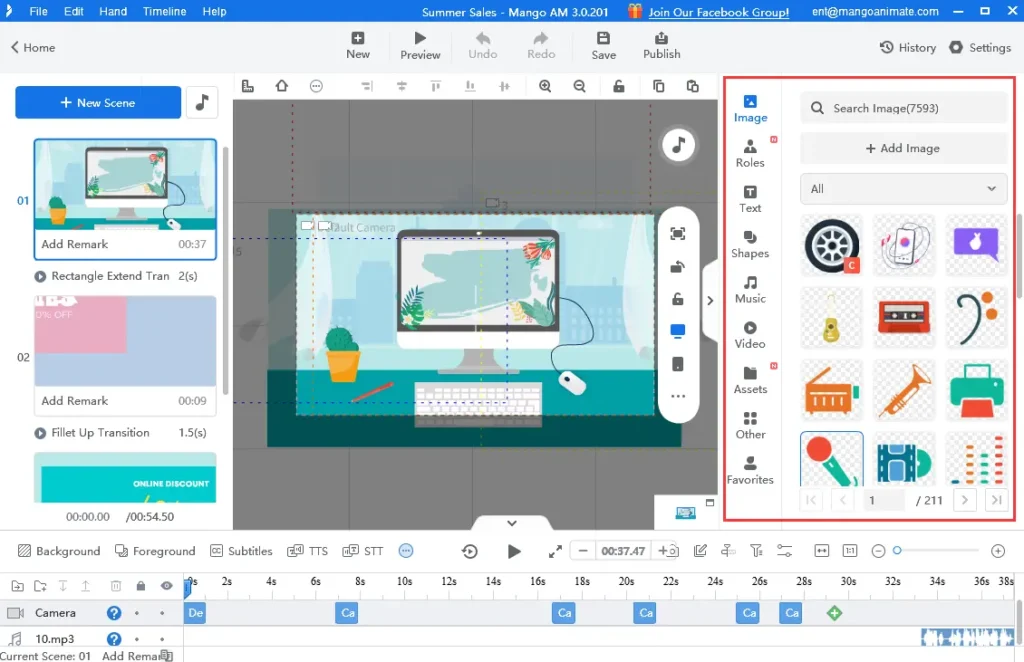
Video editing is the creative and technical process of arranging, trimming, enhancing, and combining video clips to produce a polished, professional, and visually appealing final video. In simple terms, video editing takes raw footage—whether shot on a camera, phone, or drone—and transforms it into a meaningful, engaging, and structured story.
At its core, video editing involves organizing scenes, removing unwanted parts, adjusting pacing, and shaping the flow of the content so it feels smooth and easy to watch. A good video editing workflow includes trimming clips, aligning them properly, adjusting timing, and ensuring each moment fits perfectly into the narrative.
Beyond basic cuts, modern video editing also includes many enhancement techniques such as:
- Adding transitions for smooth clip changes
- Inserting text overlays, titles, and subtitles
- Adjusting audio levels and adding sound effects
- Applying visual effects to make scenes more dynamic
- Performing color correction and color grading
- Syncing music to match the mood of the video
Every element of video editing—from sound design to color balance to visual flow—helps improve quality, emotion, and storytelling impact. Whether you are creating a cinematic film, a social media reel, an advertisement, or a tutorial, video editing plays the key role in turning simple footage into a powerful story.
Simply put, video editing is the art and science of transforming raw video into meaningful content that captures attention, conveys emotions, and delivers a message effectively.
3. Why Video Editing Matters in 2025
Video editing has become a critical skill in 2025 because the digital world is dominated by video content. From short-form videos like Reels, Shorts, and TikToks to long-form YouTube tutorials and business ads—video editing decides which content stands out and which gets ignored. With millions of videos uploaded every day, strong video editing is the only way to make your content eye-catching, professional, and memorable.
In today’s fast digital environment, people scroll quickly and attention spans are shorter than ever. Only videos with clean cuts, engaging pacing, and high-quality video editing can grab attention in the first few seconds. Brands, creators, influencers, and businesses rely on video editing to create content that connects instantly with viewers, boosts engagement, and increases conversions.
Why Video Editing Is Important in 2025:
- Better Engagement: Professional video editing helps keep viewers watching longer.
- Stronger Storytelling: Good video editing gives structure, flow, and emotion to your message.
- More Sales & Leads: Businesses use powerful video editing to create ads, promos, and product videos that convert customers.
- Brand Identity: Consistent video editing helps define your visual style and brand personality.
- Higher Reach: Social media algorithms promote videos with high retention, which comes from strong video editing.
- Professional Quality: Even simple content looks premium with clean and polished video editing.
In short, video editing matters in 2025 because it is the foundation of online communication. Whether you want to build a personal brand, grow a business, become a creator, or make viral content, mastering video editing gives you the power to turn ideas into impactful visual stories that people remember.
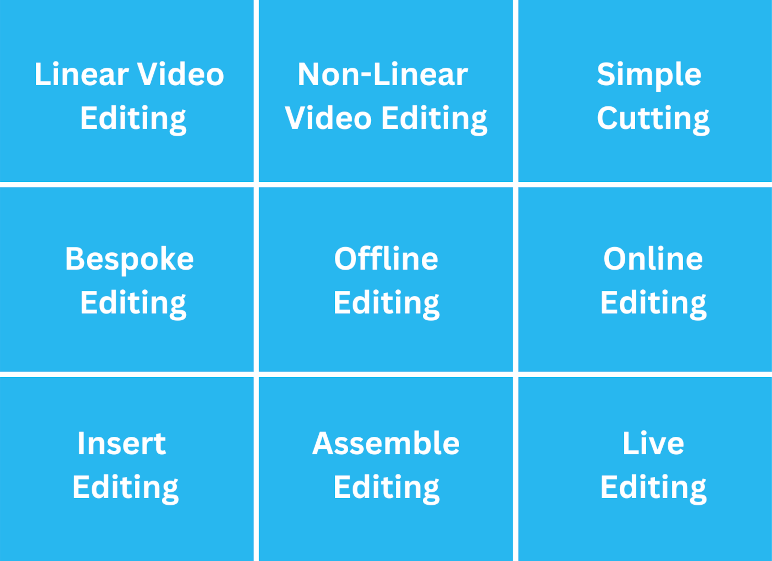
4. Types of Video Editing
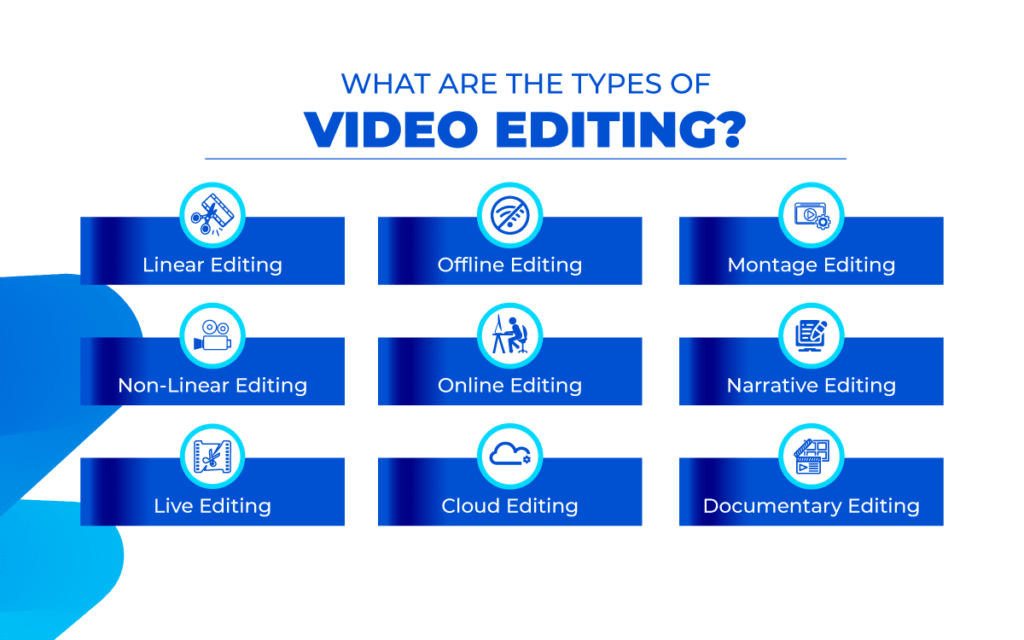
Video editing includes many different styles and techniques, each used for a specific purpose. In 2025, creators, businesses, and filmmakers use various video editing methods to match trends, platforms, and storytelling needs. Understanding the different types of video editing helps you choose the right style for your content and improves your overall editing quality.
1. Basic Cutting & Trimming
This is the foundation of all video editing. It includes removing unwanted parts, fixing errors, and keeping only the best moments. Clean cuts make your video editing smooth, sharp, and viewer-friendly.
2. Montage Video Editing
Montage video editing combines multiple clips quickly to show progress, energy, or transformation. This is popular in fitness videos, travel reels, and highlights.
3. Continuity Editing
Continuity video editing ensures the story flows naturally from one shot to the next. It keeps the viewer immersed without distractions or jumps.
4. Color Correction & Color Grading
These are advanced video editing techniques.
- Color correction fixes exposure and lighting issues.
- Color grading gives the video a unique style or cinematic look.
Both enhance visuals and make video editing more professional.
5. Motion Graphics Editing
This type of video editing adds animated text, icons, transitions, and graphics. It’s widely used in ads, educational videos, and social media content.
6. VFX (Visual Effects) Editing
VFX video editing includes adding digital effects like explosions, sci-fi visuals, 3D animation, and advanced compositing. It is mostly used in films, music videos, and high-end productions.
7. Social Media Video Editing
Short-form content requires fast-paced video editing with:
- Quick transitions
- Engaging text
- Trendy effects
- Vertical format
This style boosts reach and viewer retention.
8. Cinematic Editing
Cinematic video editing focuses on emotional depth, dramatic pacing, and storytelling. It uses slow-motion, smooth transitions, and rich color grading to create movie-like visuals.
9. Multi-Cam Editing
This video editing method is used when videos are recorded from multiple cameras, such as interviews, podcasts, events, and live shows. Editors switch between angles to keep the video dynamic.
10. Sound Design & Audio Editing
Audio is a huge part of video editing. Good sound design enhances the overall experience by adding:
- Background music
- Sound effects
- Voice enhancement
- Noise removal
5. How Video Editing Works
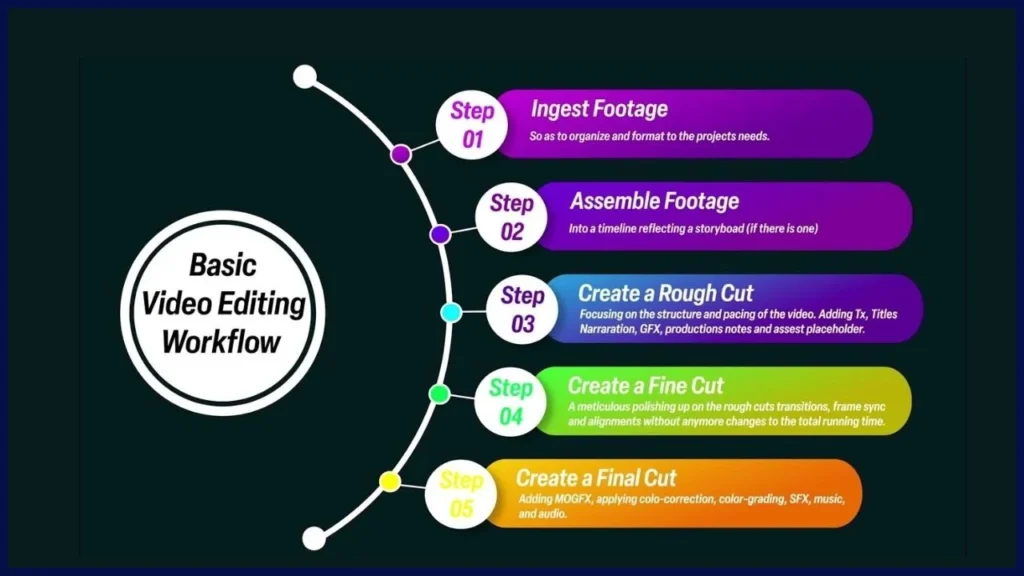
Video editing is a structured process that transforms raw footage into a final, polished, and engaging video. Whether you’re creating YouTube content, business ads, Reels, or cinematic films, the video editing workflow determines how professional and impactful your content will look. Understanding how video editing works helps you edit faster, maintain quality, and create videos viewers love.
Step-by-Step Breakdown of How Video Editing Works
1. Importing Your Footage
The first step in video editing is importing all clips, audio, images, and other media into your editing software. Good organization saves time and makes video editing smooth and efficient.
2. Organizing & Selecting the Best Clips
Before editing, you must review your footage and choose the best shots. This helps avoid clutter and keeps the video editing process clean and focused.
3. Trimming & Arranging Clips
This is the heart of video editing. Here you:
- Trim extra parts
- Remove mistakes
- Arrange clips in the right sequence
- Build the main structure of your video
Clean trimming is what makes video editing feel professional.
4. Adding Transitions & Text
Transitions help create flow between clips, while text overlays add information or highlight important points. Both features improve visual storytelling and enhance the video editing quality.
5. Enhancing Audio & Adding Music
Audio is just as important as visuals. In video editing, editors fix background noise, adjust volume levels, sync music, and add sound effects to improve engagement and mood.
6. Color Correction & Color Grading
These steps make your video visually appealing.
- Color correction adjusts brightness, exposure, and contrast.
- Color grading adds style and cinematic tone.
Both steps elevate the entire video editing output.
7. Adding Effects & Enhancements
Depending on the project, video editing may include:
- Motion graphics
- Green-screen effects
- Slow-motion
- Speed ramps
- Filters and LUTs
These effects make videos more dynamic and attractive.
8. Final Review & Adjustments
Editors watch the full video to check pacing, flow, colors, sound, and transitions. This final polish is what separates amateur video editing from professional video editing.
9. Exporting in the Right Format
The last step of video editing is exporting the video in the correct format. For most platforms, MP4 (H.264 or H.265) offers the best quality with small file size. Export settings vary depending on platforms like YouTube, Instagram, or Facebook.
Why This Process Matters
Every step of video editing adds value to the final result. A well-edited video attracts more viewers, delivers clearer messages, and performs better on social media algorithms. In 2025, mastering this workflow is key to creating scroll-stopping, high-retention video content.
6. Essential Skills for Video Editors
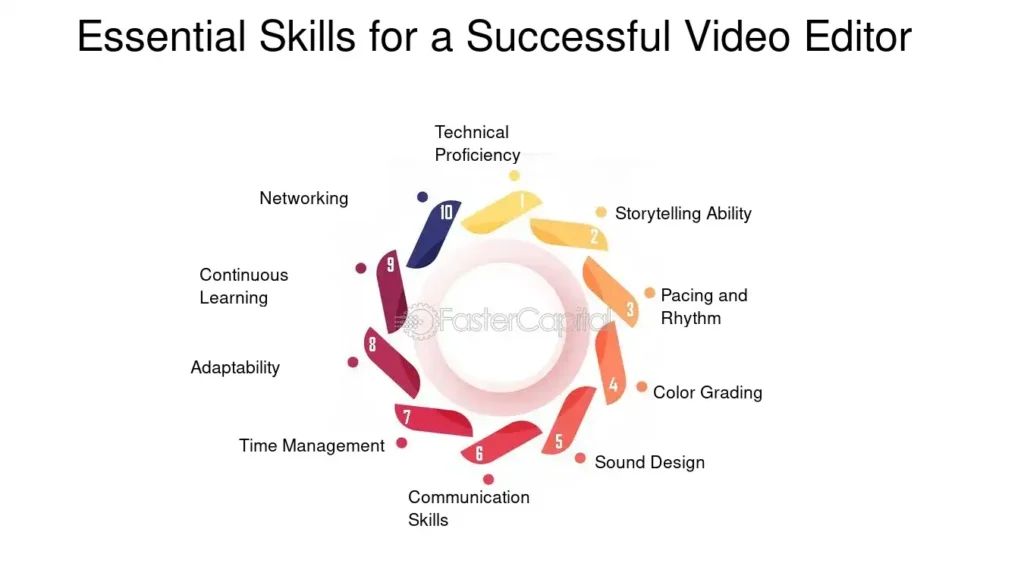
To become a successful video editor in 2025, you need a mix of creative skills, technical knowledge, and storytelling ability. Modern video editing is not just about cutting clips — it’s about creating an experience that holds attention, delivers emotion, and communicates a message clearly. Whether you’re editing YouTube videos, business advertisements, social media reels, or cinematic films, the right video editing skills make a huge difference.
Below are the most important skills every video editor must master:
1. Creativity & Storytelling
Great video editing is built on storytelling. Editors must know how to:
- Create a smooth narrative
- Build emotion
- Maintain viewer interest
- Deliver messages clearly
Creativity in video editing helps transform basic clips into meaningful stories.
2. Understanding Timing & Pacing
Pacing affects how a video feels. Good video editing requires knowing when to cut, when to slow down, and when to speed up. Perfect timing makes videos smooth, engaging, and emotionally powerful.
3. Strong Sense of Audio
Audio is 50% of video editing. Editors must know how to:
- Sync audio perfectly
- Use background music
- Remove noise
- Add sound effects
- Balance voice and music levels
Clean audio instantly improves your video editing quality.
4. Color Correction & Grading Skills
A skilled editor understands brightness, contrast, saturation, and moods. Professional video editing includes:
- Correcting exposure
- Fixing lighting problems
- Applying cinematic color grades
Good color work enhances the entire viewing experience.
5. Software Knowledge
Editors must know how to operate video editing software like:
- Adobe Premiere Pro
- Final Cut Pro
- DaVinci Resolve
- CapCut or Filmora (for beginners)
The better you understand your tools, the smoother your video editing workflow becomes.
6. Attention to Detail
Every small element matters in video editing — shadows, transitions, subtitles, audio levels, color tones, pacing, and more. Tiny details make a video look professional instead of basic.
7. Motion Graphics & Text Animation
In 2025, modern content requires motion elements. Adding animated text, icons, shapes, and callouts makes video editing more dynamic and engaging, especially for social media and marketing content.
8. Problem-Solving Ability
Sometimes footage is shaky, audio is unclear, or lighting is poor. A skilled editor knows how to fix problems using video editing techniques like stabilization, noise reduction, color matching, etc.
9. Consistency & Speed
With the fast-paced rise of reels and short videos, editors must deliver high-quality video editing consistently and quickly. A strong workflow saves time without compromising quality.
10. Adaptability to Trends
Trends change fast, especially on Instagram and YouTube. A good video editing expert stays updated with:
- Transitions
- Effects
- Editing styles
- Visual trends
- Music trends
Trend awareness keeps your video editing fresh and relevant.
Why These Skills Matter
These skills make your video editing sharper, faster, and more professional. Whether you’re a beginner or growing creator, mastering these abilities will help you stand out, attract clients, and create videos that get attention in 2025.
7. Best Video Editing Software
Choosing the right video editing software is one of the most important decisions for any creator, editor, or business in 2025. The software you use determines your editing speed, creative flexibility, workflow quality, and the overall impact of your final video. With so many tools available today, selecting the best video editing software can help you produce professional-level content even if you’re a beginner.
Below are the top video editing software options, divided into free and paid categories for easy understanding.
Best Free Video Editing Software
1. CapCut
CapCut is one of the most popular free video editing apps for mobile and desktop. It offers:
- AI tools
- Auto captions
- Trendy transitions
- Easy interface
Perfect for social media video editing like Reels, Shorts, and TikTok.
2. DaVinci Resolve
DaVinci Resolve is considered the most advanced free video editing software in the world. It includes:
- Professional color grading
- Fusion VFX tools
- Powerful audio editing (Fairlight)
- Multi-layer timeline
Ideal for YouTube creators and filmmakers who want high-quality video editing.
3. VN Editor
VN is another beginner-friendly video editing app known for:
- Smooth timeline
- Clean transitions
- Mobile + PC support
A great choice for quick and creative video editing projects.
Best Paid Video Editing Software
1. Adobe Premiere Pro
Premiere Pro is the industry standard for professional video editing. Used by YouTubers, studios, and agencies, it offers:
- Multi-track timeline
- Advanced transitions
- Powerful color tools
- Smooth integration with Photoshop & After Effects
If you want premium-quality video editing, Premiere Pro is a top choice.
2. Final Cut Pro
Final Cut Pro is Apple’s flagship video editing software. It is known for:
- Lightning-fast performance
- Magnetic timeline
- Smooth rendering
- Professional plugins
Perfect for Mac users who want ultra-fast, high-quality video editing.
3. Filmora
Filmora is a simple but powerful video editing tool designed for beginners and content creators. It offers:
- Easy drag-and-drop interface
- Ready-made effects
- Color tools
- Screen recording
Great for users who want stylish video editing without complicated settings.
How to Choose the Right Video Editing Software
To select the best tool for your needs, consider:
- Your experience level
- The type of video editing you do (reels, ads, vlogs, cinematic videos)
- Your device (mobile, laptop, Mac, Windows)
- Features you need (color grading, AI tools, motion graphics)
- Budget
The better your software matches your goals, the easier your video editing journey becomes.
8. Video Editing for Social Media
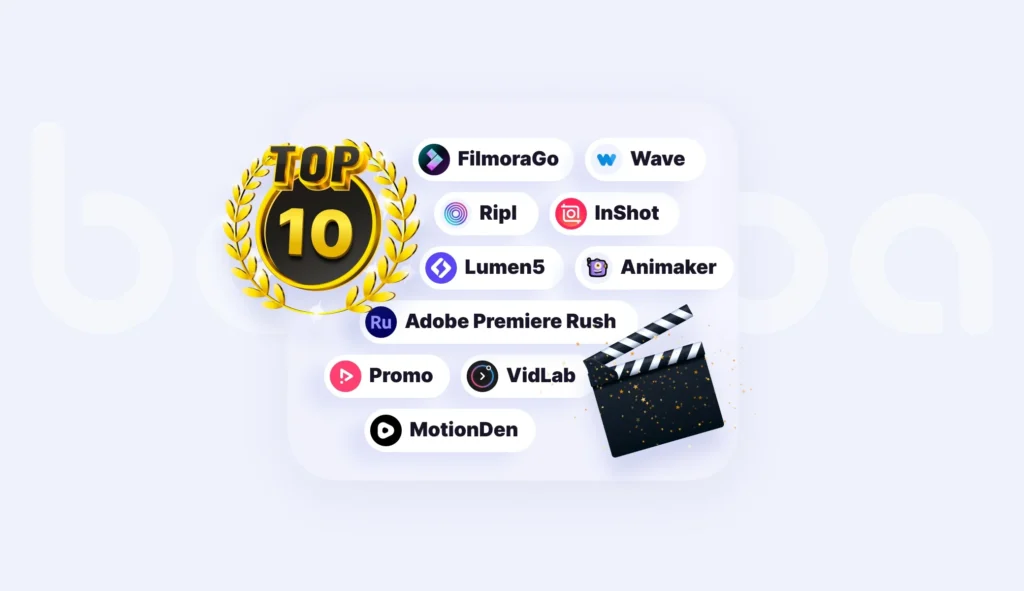
Social media has completely transformed the way videos are created, consumed, and shared. In 2025, platforms like Instagram Reels, YouTube Shorts, Facebook, TikTok, and Snapchat are flooded with short, engaging videos — and the quality of video editing is what decides whether a video goes viral or gets ignored. Social media video editing focuses on fast cuts, eye-catching visuals, trendy effects, and powerful storytelling within just a few seconds.
Because attention spans are so short, social media videos must deliver impact instantly. This makes video editing the most important skill for creators, influencers, brands, and businesses who want to grow online.
Why Video Editing Is Crucial for Social Media
- Social algorithms push videos with strong retention
- Clean video editing makes people stop scrolling
- Better editing = more likes, shares, and saves
- Trend-based video editing increases reach instantly
- Professional edits build brand identity and trust
In short, without effective video editing, your social media content cannot perform at its highest potential.
Key Elements of Social Media Video Editing
1. Fast Cuts & Dynamic Pacing
Social media users prefer quick, energetic videos. Fast cutting and sharp transitions make video editing more engaging and increase watch time
2. Vertical Video Editing
Almost all social platforms favor vertical video. Proper video editing must follow:
- 9:16 aspect ratio
- Centered elements
- Space for captions
Vertical formatting increases visibility across platforms.
3. Trend-Based Effects
Trends change daily. Using trendy effects, transitions, and music makes your video editing relevant and boosts discoverability.
4. Captions & On-Screen Text
Most people watch videos with sound off. Adding captions, subtitles, and bold text through video editing increases clarity and engagement.
5. Perfect Music Syncing
Good music enhances mood. Great video editing syncs transitions, cuts, and scenes with beats to make videos more satisfying to watch.
6. Hooks & Attention Grabbers
The first 2–3 seconds decide everything. Effective video editing must include:
- Strong opening shot
- Bold text hooks
- Quick intro pacing
This keeps viewers watching instead of skipping.
7. Clean Color Grading
Beautiful colors make videos pop. Social media video editing often uses:
- Warm tones
- Vibrant looks
- Trendy LUTs
- Bright, clean visuals
Good color grading increases professionalism.
8. Consistency Across All Videos
Brands and creators grow faster with consistent video editing styles, including:
- Signature fonts
- Unique transitions
- Repeated color themes
- Similar pacing
This builds recognition and trust.
Types of Social Media Videos That Need Strong Editing
- Reels / Shorts
- Vlogs
- Travel edits
- Fitness videos
- Business promos
- Tutorials
- Product showcases
- Before/after videos
- Meme edits
Every one of these formats depends heavily on smart, creative video editing.
9. AI in Video Editing
Artificial Intelligence has completely changed the world of video editing in 2025. What earlier took hours can now be done in minutes thanks to smart AI tools. From auto-cutting to color correction, subtitles, animations, and even full video creation—AI has made video editing faster, easier, and more powerful than ever.
Today, creators, businesses, agencies, marketers, YouTubers, and editors rely heavily on AI-powered video editing to improve efficiency and boost creativity. AI doesn’t replace editors—it supports them, enhances their workflow, and helps them produce high-quality videos without spending long hours on manual tasks.
How AI Is Transforming Video Editing
1. Auto Editing & Smart Cutting
AI automatically detects:
- Silence
- Mistakes
- Unwanted pauses
- Bad clips
This reduces hours of manual trimming and speeds up the entire video editing workflow.
2. AI-Based Color Correction
AI tools can now analyze footage and instantly apply:
- Color correction
- Matching shots
- Cinematic grading
This gives your video editing a professional look without advanced color skills.
3. Auto Subtitles & Captions
AI generates accurate subtitles within seconds. This is essential for:
- Social media videos
- Tutorials
- Business content
Subtitles improve engagement, and AI makes this video editing task effortless.
4. AI Music Syncing
AI tools can automatically sync transitions and cuts with the beat of the music. This creates:
- Smooth pacing
- Trendy visuals
- High-retention edits
This is one of the biggest advantages AI brings to video editing.
5. AI Voiceovers
AI can generate natural, human-like voices in different tones and languages. This allows editors to create:
- Explainer videos
- Tutorials
- Marketing videos
- Product demos
All without recording audio, making video editing faster and more flexible.
6. AI Background Removal
AI can remove or replace backgrounds without a green screen—perfect for Reels, Shorts, business presentations, and creative video editing projects.
7. AI-Generated Visuals
Some AI tools can create:
- Animated logos
- Social media templates
- Motion graphics
- Visual effects
These reduce manual design work and elevate your video editing quality instantly.
Popular AI Tools Used in Video Editing
- CapCut AI Tools
- Runway ML
- Adobe Sensei (Premiere Pro AI)
- DaVinci Resolve Neural Engine
- Pika Labs (AI Video Generator)
- Descript AI for editing + audio sync
These tools are shaping the next phase of modern video editing.
Advantages of AI in Video Editing
- Faster editing time
- Cleaner workflows
- Higher video quality
- Consistent output
- Easier for beginners
- More creative possibilities
AI makes video editing accessible for everyone—from beginners to professional filmmakers.
Will AI Replace Video Editors?
No. AI will support editors, not replace them.
AI can automate repetitive tasks, but human creativity, storytelling, emotion, and vision still define great video editing. The future belongs to editors who combine creativity + AI tools.
10. Tips for Better Video Editing
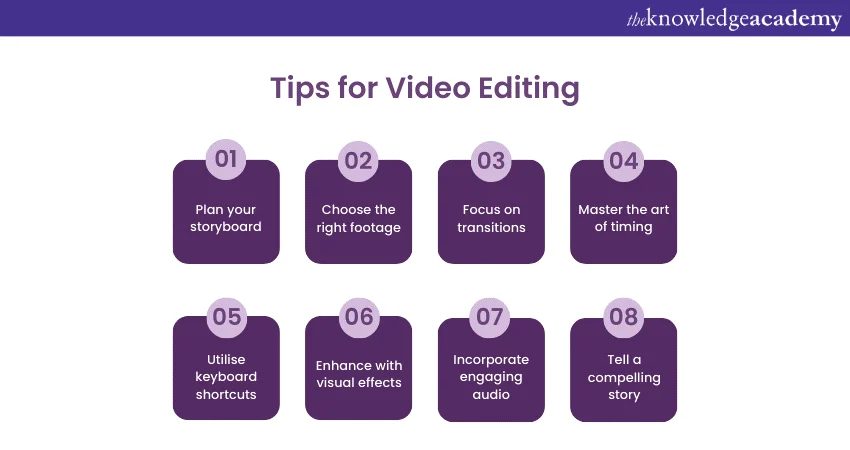
Mastering video editing requires practice, creativity, and attention to detail. In 2025, viewers expect high-quality, polished videos whether on social media, YouTube, or professional platforms. Good video editing not only improves the visual appeal but also increases engagement, retention, and overall performance of your videos. Here are the most important tips to enhance your video editing skills.
1. Focus on Clean Cuts
Smooth transitions between clips are the foundation of great video editing. Avoid abrupt or choppy cuts unless it’s part of the style. Clean cuts keep your content professional and easy to watch.
2. Keep Audio Crisp
Sound quality is critical. During video editing, ensure:
- Background noise is removed
- Voiceovers are clear
- Music and effects are balanced
High-quality audio significantly improves viewer experience.
3. Use Minimal Transitions
Overusing fancy transitions can distract viewers. Simple, well-placed transitions are more effective in professional video editing.
4. Tell a Story
Every video should have a clear beginning, middle, and end. Strong storytelling during video editing keeps viewers engaged and leaves a lasting impact.
5. Apply Color Grading
Colors influence mood and tone. During video editing, adjust brightness, contrast, and saturation to make visuals pop. Trendy color grading enhances social media appeal.
6. Optimize Pacing
Pacing is the rhythm of your video. Well-timed cuts and scene lengths make video editing smoother, helping viewers stay engaged.
7. Use Text and Captions
Text overlays highlight key points and improve accessibility. Subtitles are especially important for social media videos where users often watch without sound.
8. Leverage Motion Graphics
Adding simple motion graphics or animated elements elevates video editing quality. Motion keeps viewers interested and adds a professional touch.
9. Keep Your Branding Consistent
Consistency in fonts, colors, logos, and style improves brand recognition. Professional video editing strengthens your digital identity.
10. Review and Revise
Before finalizing, review your video multiple times. Check cuts, audio, effects, pacing, and overall flow. Every detail in video editing matters for a polished result.
Benefits of Following These Video Editing Tips
- Higher engagement on social media
- Better storytelling and audience retention
- Professional-looking content
- Increased trust and brand credibility
- More views, likes, and shares
11. Common Video Editing Mistakes
Even experienced creators make mistakes during video editing. These errors can reduce engagement, lower video quality, and make your content look unprofessional. Avoiding these mistakes is essential for producing polished videos that viewers enjoy and share. Here are the most common video editing mistakes in 2025 and tips on how to fix them.
1. Overusing Effects
Many editors try to make videos flashy by adding too many effects. Excessive effects can distract viewers and make your video editing look amateurish. Tip: Use effects sparingly and only when they enhance the story.
2. Poor Audio Quality
Audio problems are one of the biggest mistakes in video editing. Background noise, low volume, or mismatched sound can ruin a video. Tip: Always clean up audio, balance levels, and use quality soundtracks.
3. Ignoring Color Correction
Bad lighting and inconsistent colors make your video look unprofessional. Skipping color correction is a common video editing mistake. Tip: Adjust brightness, contrast, and saturation, and apply color grading for a polished look.
4. Wrong Aspect Ratio
Uploading the wrong video format for a platform (horizontal for Reels, vertical for Shorts) is a frequent video editing mistake. Tip: Always check aspect ratio requirements before exporting.
5. Overuse of Transitions
Too many flashy transitions can confuse viewers and reduce the impact of your video editing. Tip: Stick to clean, simple transitions that support the flow of your video.
6. Ignoring Storytelling
Even technically perfect video editing fails if the story is weak. Random clips or poor pacing can disengage viewers. Tip: Plan your story and edit with a clear beginning, middle, and end.
7. Low-Quality Export
Exporting videos at low resolution or incorrect settings ruins your video editing effort. Tip: Always export in high quality (MP4, H.264/H.265) and check the file before publishing.
8. Forgetting Branding
Not including consistent logos, fonts, or colors in video editing can weaken brand recognition. Tip: Maintain consistent branding elements across all videos.
9. Ignoring Music Sync
Misaligned music and cuts make videos feel off-beat. Poor audio-video synchronization is a common video editing mistake. Tip: Sync clips and transitions with beats to create smooth, engaging content.
10. Not Reviewing the Final Video
Rushing to publish without reviewing can lead to mistakes. Skipped errors in video editing reduce professionalism. Tip: Always watch your video from start to finish and make final adjustments.
12. Conclusion
In 2025, video editing is no longer just a skill—it is a digital superpower. Whether you are a content creator, influencer, business owner, or freelancer, mastering video editing allows you to transform raw footage into polished, professional, and engaging videos that capture attention, tell stories, and leave a lasting impact.
Good video editing boosts visibility, increases engagement, strengthens brand identity, and helps you stand out in the highly competitive digital space. From trimming clips and applying transitions to color grading, sound design, and using AI-powered tools, every step of video editing contributes to a final product that looks professional and resonates with your audience.
The future of content is video, and those who invest time in learning video editing will reap the rewards—more views, higher engagement, stronger personal or business branding, and greater growth.
For expert guidance, tools, and solutions to elevate your video editing skills and digital content strategy, visit kbdigitalfly.com Start creating, start editing, and stay ahead in 2025 with professional-level video editing today.
13. FAQs – Video Editing
- What is video editing? Video editing is arranging, trimming, and enhancing clips to create polished videos.
- Why is video editing important? Video editing improves engagement, storytelling, and visual quality.
- Which software is best for video editing? Adobe Premiere Pro, Final Cut Pro, DaVinci Resolve, and CapCut are top choices.
- Can beginners learn video editing? Yes, with practice and user-friendly tools, anyone can learn video editing.
- How long does video editing take? Time depends on video length, complexity, and skill level.
- Is video editing a good career? Yes, video editing is in high demand across content creation, marketing, and film.
- What is color grading in video editing? Color grading adjusts tone and style to make videos visually appealing.
- What is the difference between cutting and trimming? Cutting removes unwanted parts; trimming fine-tunes clip lengths.
- Do I need a powerful PC for video editing? A strong computer helps, but basic video editing can be done on most laptops.
- What is montage video editing? Montage video editing combines multiple clips to show a story or progress quickly.
- Can I do video editing on mobile? Yes, apps like CapCut, VN Editor, and FilmoraGo allow mobile video editing.
- What is cinematic video editing? Cinematic video editing uses slow motion, transitions, and color grading for a film-like feel.
- What is social media video editing? Editing videos specifically for platforms like Instagram, TikTok, or YouTube Shorts.
- Can AI help with video editing? Yes, AI can automate cuts, subtitles, color grading, and other editing tasks.
- What is motion graphics in video editing? Animated text, icons, and effects that enhance video visuals.
- What file format is best for exporting videos? MP4 with H.264 or H.265 codec is most compatible for web and social media.
- Why are transitions important in video editing? Transitions ensure smooth flow and maintain viewer engagement.
- What is multi-cam video editing? Switching between multiple camera angles to make a dynamic video.
- How can video editing improve social media growth? Well-edited videos attract viewers, increase retention, and boost reach.
- Where can I get professional video editing services? You can hire a video editing agency for expert, high-quality editing and content creation.
Related Articles

Recent Posts

October 12, 2026
Google Ads Qualified Leads

September 26, 2026
Google AI Overviews

September 25, 2026
Leave a comment