
Google Ads
Google Ads: 7 Easy Tips For Beginners-Friendly Guide
1. What Is Google Ads?
2. Why Use Google Ads For Your Business?
3. How Does Google Ads Work?
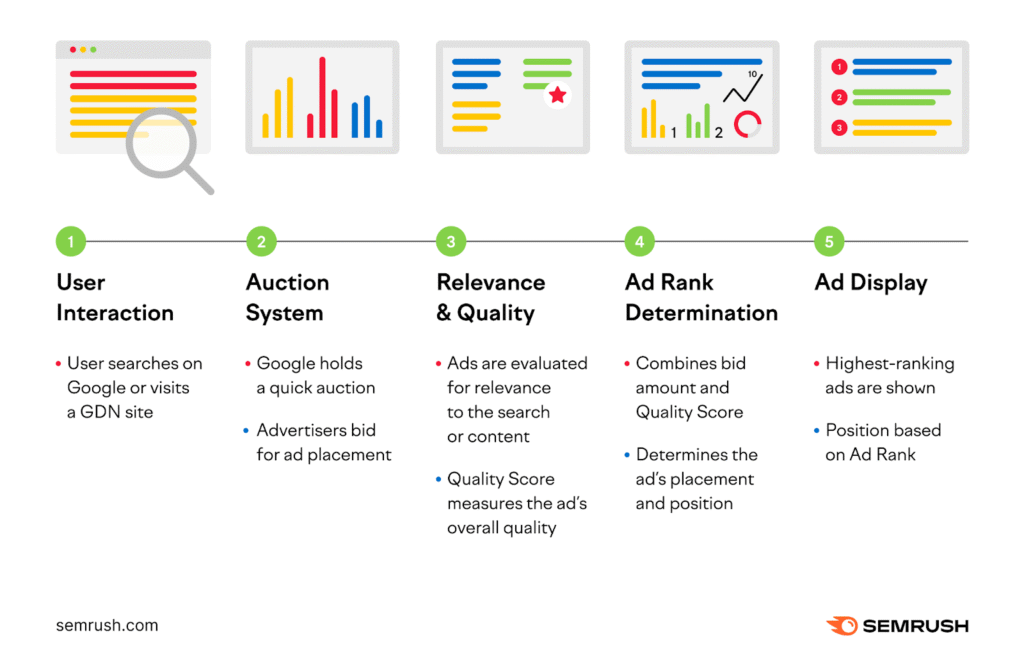
3.1 People Search On Google
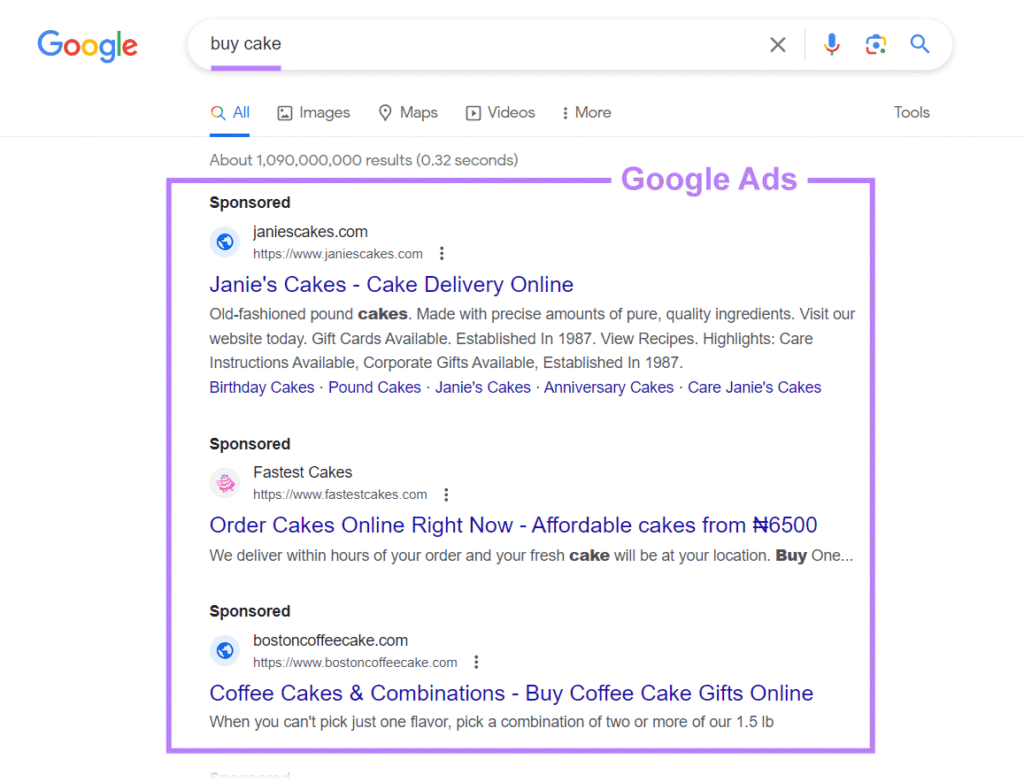
When someone types something into Google, like buy shoes online and best cake shop near me – Google shows them results. Some of these results are paid ads made through Google Ads.3.2 Businesses Choose Keywords
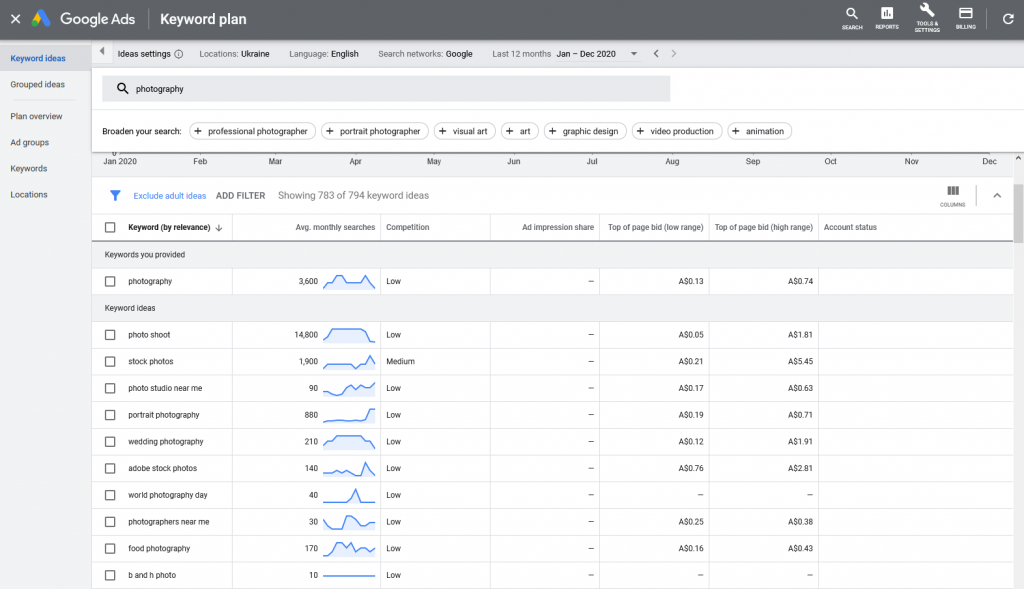
Business owners select certain words they think people will type when searching for their products and services. For example, a bakery might choose keywords like fresh cakes and birthday cakes.3.3 Ads Are Shown To The Right People
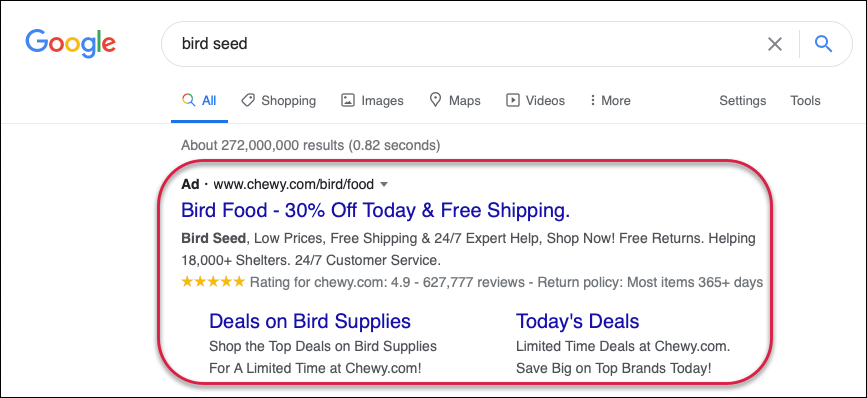
When someone searches for a keyword you selected, your ad can appear at the top of the Google page. But not just an ad appears – Google Ads looks at your ad quality, your budget, and other things to decide which ad to show.3.4 You Only Pay When Someone Clicks
You don’t pay just to show the Google Ads – you only pay when someone clicks on it. This is called Pay-Per-Click (PPC). So, you are paying only when someone is interested.3.5 You Can Control Budget And Location
You can choose how much money you want to spend each day or each month. Also, you can choose where your Google Ads appear, like in a city, country, and just and phones.3.6 Google Gives You Reports
Google Ads gives you helpful data like how many people saw your ad, how many clicked it, and what worked best. This helps you make your ads better step by step.4. How Do Ads Show On Google?
5. What Are Keywords in Google Ads?
6. How Much Does Google Ads Cost?
7. Main Benefits Of Using Google Ads
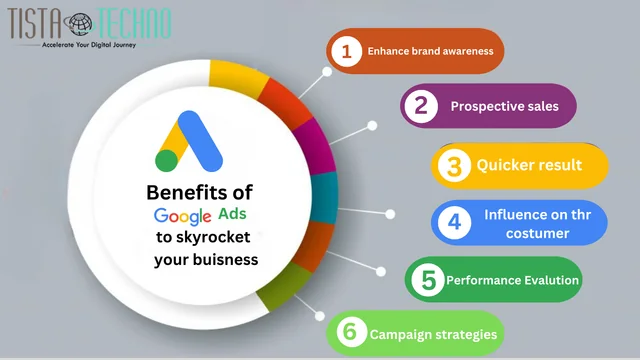
7.1 Show Your Ads to the Right People at the Right Time
Google Ads helps you show your business to people who are already searching for your product and service. This means you are not wasting money, your ad reaches the right people at the perfect time.7.2 You Only Pay When Someone Clicks
With Google Ads, you don’t pay just to show your ad. You only pay when someone clicks on it to visit your website. This is called Pay-Per-Click (PPC) and makes your spending more useful.7.3 Full Control Over Your Budget
You choose how much money you want to spend each day or month. Even small businesses can begin with a low budget. Ads will never charge more than the limit you set.7.4 Fast Results
Unlike SEO, which takes time, Ads can bring traffic, calls, and customers quickly, sometimes within a day or two of starting the campaign.7.5 Target Specific Place And People
You can choose where your Google Ads appear in certain cities, states, and countries. You can also choose to show your ads on mobile phones, at certain times of the day, and to people who speak a specific language.7.6 Get Detailed Reports
Google Ads gives you clear data like how many people saw your ad, clicked on it, and bought something. This helps you improve your ads and get better results over time.7.7 Increase Brand Awareness
Even if people don’t click, they still see your business name on top. This helps more people know about your brand.8. Conclusion
Getting started with Google Ads might feel overwhelming at first, but with the right approach, it becomes easy and effective. These 7 beginner-friendly tips are designed to help you avoid common mistakes, target the right audience, and get the best value for your money. Remember, success doesn’t happen overnight — test your ads, learn from the results, and keep improving. With time and practice, Google Ads can become one of your most powerful tools to grow your website, attract more visitors, and boost your sales. KBDigitalFLy.com9. FAQs
What is Google Ads?
It’s an online ad platform where you pay to show your website on Google search and other sites.
2. Is Google Ads free to use
No, you only pay when someone clicks on your ad. This is called Pay-Per-Click. 3. Do I need a website to run Google Ads? Yes, you need a landing page or website for users to visit. 4. How much should I spend as a beginner? Start small, like Rs200–Rs500/day, and increase as you learn. 5. How do I know if my ad is working? Check your clicks, impressions, and conversions in Google Ads reports.Related Articles

13 Comments
Leave a comment
Recent Posts

October 12, 2026
Google Ads Qualified Leads

September 26, 2026
Google AI Overviews

September 25, 2026
카드깡 업체를 이용하면서 신중해야 한다는 것을 항상 명심하고 계세요. 안전한 거래를 위해 신뢰할 만한 업체를 선택하는 것이 중요합니다. 자신의 재정 상황을 신중히 판단하고, 안전한 방법으로 대출을 받을 수 있도록 신중하게 선택해 주세요. 카드깡 업체
신용카드 한도 대출은 급한 용돈이 필요할 때 유용한 선택지일 수 있어요. 하지만 금리와 상환 조건을 잘 파악하고 신중하게 결정하는 것이 중요합니다. 경제적인 안정을 위해 신중한 계획과 관리가 필요하죠. 신용카드 한도 대출
카드깡 업체를 이용해본 경험이 있어요. 사실 처음에는 걱정이 많았는데, 업체의 안전한 서비스와 친절한 상담으로 모든 의문이 해소되었어요. 무리하지 않는 한도 내에서 사용하면 편리한 서비스라는 생각이 들었답니다. 신중하게 선택하면서 이용해보는 것도 한 방법이겠죠. 카드깡 업체
관심 있는 주제라 끝까지 읽었습니다. 카드깡
카드깡 업체에 대한 정보를 찾다가 이 블로그를 발견했어요. 카드깡 관련해서 궁금한 점들이 많았는데, 이 블로그를 통해 많은 도움을 받았습니다. 앞으로도 계속해서 유익한 정보를 공유해주셔서 감사합니다. 카드깡 업체
카드깡 업체를 이용하면 급한 자금 필요할 때 유용하겠네요. 하지만 신중한 선택이 중요하죠. 안전한 업체를 찾는 것이 핵심이에요. 혹시 추천할 만한 업체가 있나요? 혹은 다른 금융 솔루션을 고려해보는 것도 좋은 방법이 될 수 있을 것 같아요. 카드깡 업체
관심 있는 주제라 끝까지 읽었습니다. 부산국가피부자격증
이런 내용 공유해주셔서 감사합니다. 일산 피부과
소액결제 현금화는 급한 용돈이 필요할 때 정말 유용한 방법이죠. 하지만 중요한 점은 안전하고 신뢰할 수 있는 업체를 선택하는 것이에요. 자세한 정보와 유의사항을 숙지한 뒤에 결정하는 게 좋을 것 같아요. 현실적인 선택이 필요한 부분이니 꼼꼼하게 살펴보세요. 소액결제 현금화
카드깡은 현재 많은 이들 사이에서 인기를 끌고 있는 소비 트렌드 중 하나로 보입니다. 소액을 대신 사용한 뒤 나중에 갚는 방식은 편리하기도 하지만 책임감을 잃지 않도록 주의해야 합니다. 재무 상태를 신중히 고려하면서 이용해야겠죠. 카드깡
Pretty component of content. I simply stumbled upon your weblog and in accession capital to claim that I acquire in fact loved account your weblog posts. Any way I’ll be subscribing for your feeds or even I fulfillment you get admission to consistently fast.